
Google updated its Merchant Center Help page on sale price annotations with a new structured data requirement for Shopping ads in 12 markets: Australia, Brazil, Canada, France, Germany, India, Italy, Japan, Korea, the Netherlands, Spain and the UK. The base price and the sale price must now both be present in the landing page's schema.org microdata and match the Merchant Center data source. Before the change, the page only said both prices should be displayed on the landing page. The PPC Times' help page watcher detected the change on November 24, 2026.
The page, About sale price annotations, does not give a date for when the requirement applies.
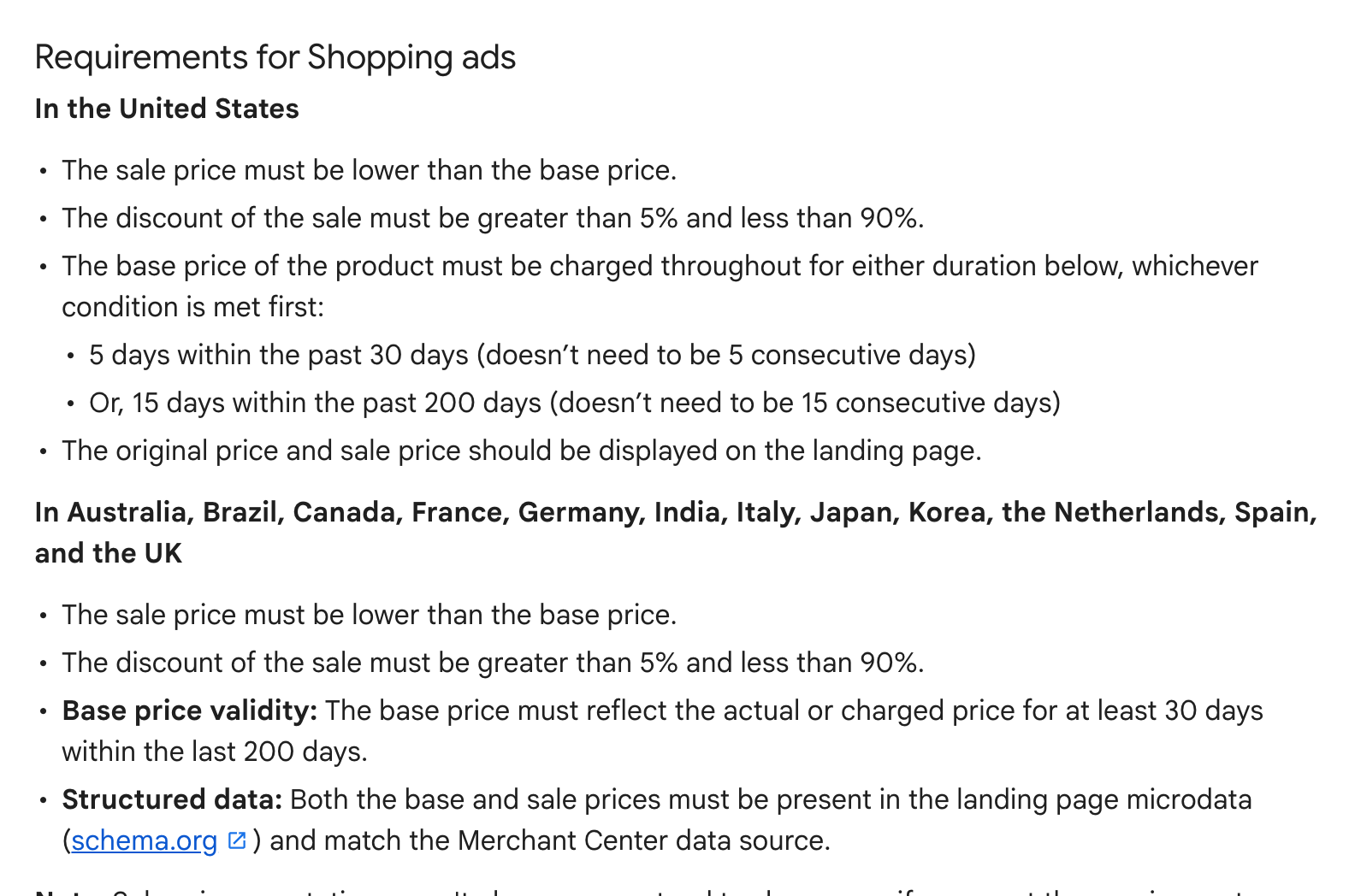
What are the new sale price annotation requirements for Shopping ads?
Sale price annotations show the sale price next to the original price with a strikethrough, plus a sale badge, on Google Search, Shopping ads and the Shopping tab, according to the help page. For Shopping ads in the 12 markets above, the page now lists these requirements:
- The sale price must be lower than the base price.
- The discount must be greater than 5% and less than 90%.
- Base price validity: the base price must reflect the actual or charged price for at least 30 days within the last 200 days.
- Structured data: "Both the base and sale prices must be present in the landing page microdata (schema.org) and match the Merchant Center data source."
Two lines were replaced in this section:
- The landing page line, which said the original price and sale price should be displayed on the landing page, was replaced by the structured data requirement.
- The base price line, which said the base price must be valid for 30 days within the past 200 days and that the days don't need to be consecutive, was reworded to refer to the actual or charged price.
Other parts of the page did not change in this update:
- United States: Shopping ads requirements still list a landing page display line and the base price rule of 5 days within the past 30 days, or 15 days within the past 200 days, whichever is met first.
- Free listings: the requirements for all listed markets still say both prices should be displayed on the landing page.
- Local inventory ads: for merchants using product pages with in-store availability or pickup later, the page says the same requirements as Shopping ads apply.
The page also still notes that sale price annotations are not guaranteed to show even when the requirements are met.
Why does the structured data requirement matter for Shopping advertisers?
A retailer that shows both prices on the product page but only marks up one price in schema.org, or marks up a price that differs from the feed, could lose the sale annotation on Shopping ads in these markets. That is most likely to affect sites where the theme or ecommerce platform outputs only the current price in its Product markup, or where structured data and the Merchant Center feed are updated at different times during a sale.
What to do now
- Check your markup. Test a few products on sale with the Rich Results Test or your crawler of choice, and confirm the page's structured data includes both the base price and the sale price.
- Compare with the feed. Make sure the prices in the markup match the [price] and [sale_price] values in your Merchant Center data source, including currency.
- Watch the sale badge filter. In Merchant Center, the All products page has a Has sale badge filter. A drop in products with a sale badge after a sale starts could point to a markup problem.
- Talk to your developer or platform. If your theme or plugin outputs a single price, ask how to add the original price to the markup before your next sale.