
Google updated its Google Ads help page on Promotion Mode, and the version The PPC Times detected on November 23, 2026 lists Shopping campaigns as supported alongside Search and Performance Max. Promotion Mode, which the page says is in open beta, temporarily lowers a campaign's Target ROAS and can add an extra daily budget for a promotion of 3 to 14 days. The updated About Promotion Mode page also says Smart Bidding Exploration in Performance Max now covers Shopping inventory, and it adds a new section on where active promotions show up in reporting.
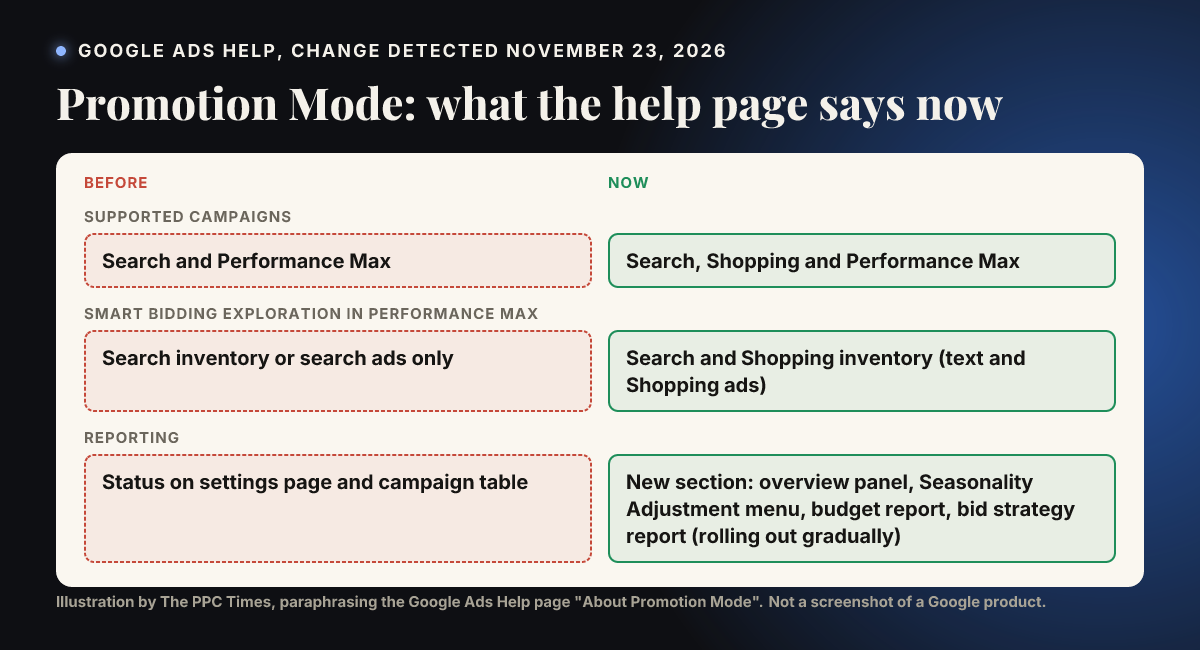
What changed on the Google Ads Promotion Mode help page?
The eligibility list previously named standard Search and Performance Max campaigns. It now names standard Search, Shopping and Performance Max campaigns.
The earlier version also said Promotion Mode would initially be powered by Smart Bidding Exploration for Search inventory only, and that "Retail will be available in November 2026." That line is no longer on the page.
Other changes on the page:
- Performance Max scope: the page used to say Smart Bidding Exploration only applies to search inventory or search ads in Performance Max. It now says Exploration applies to both Search and Shopping inventory, including text and Shopping ads. Performance Max campaigns that serve heavily on other networks may see a smaller effect, according to the page.
- New "Promo mode reporting" section: when Promotion Mode is active, the page says the status appears on the campaign settings page, the campaign overview panel and campaign tables. The campaign also appears under the Seasonality Adjustment menu. In the budget report, the promotion period is highlighted in green and any extra daily budget shows on the spending limit scorecard and line. Promotion Mode also appears in the bid strategy report. Google notes these reporting changes are rolling out gradually and may not be available in every account yet.
- Setup steps: the navigation now starts from Campaigns within the Campaigns menu. The steps themselves are unchanged.
The page's eligibility rules otherwise stay as they were: Target ROAS bidding only, campaign-level bid strategies only, no portfolio bid strategies or shared budgets, and a Target ROAS tolerance between 5% and 90%. The extra daily budget option is not available for campaigns using a campaign total budget.
The help page does not give a date for when Shopping support began.
Why does Shopping support in Promotion Mode matter for advertisers?
Retailers running standard Shopping campaigns on Target ROAS could now schedule a lower target and extra budget for a short sale, with both settings reverting automatically when the promotion ends. Before, the page limited that to Search and Performance Max.
The Performance Max wording also matters for retail accounts. If Exploration now applies to Shopping inventory inside Performance Max, a promotion on a feed-heavy Performance Max campaign is likely to behave differently from what the earlier page described.
The page notes that Promotion Mode tolerance adds to any standalone Smart Bidding Exploration tolerance: 20% plus 20% gives 40%. On a Shopping campaign that already uses Exploration, the combined drop in target could be larger than expected.
What to do now
- Check whether the Promotion mode panel appears under "Budget and bidding optimization" in your standard Shopping campaign settings. The feature is in open beta, so availability may vary.
- Confirm the campaign meets the rules: campaign-level Target ROAS, no portfolio strategy, no shared budget.
- Add up Promotion Mode and Exploration tolerances before you save, since the page says they stack.
- Follow the page's timing advice: build new campaigns at least 48 hours before the promotion, and let existing campaigns run for at least one full conversion cycle on a daily budget first.
- Remove CPC bid limits for the promotion window, as the page recommends.
- After the promotion, allow 1 to 2 conversion cycles for Smart Bidding to stabilise if targets or budgets changed substantially, per the page, and judge results against the lowered target in the bid strategy report.