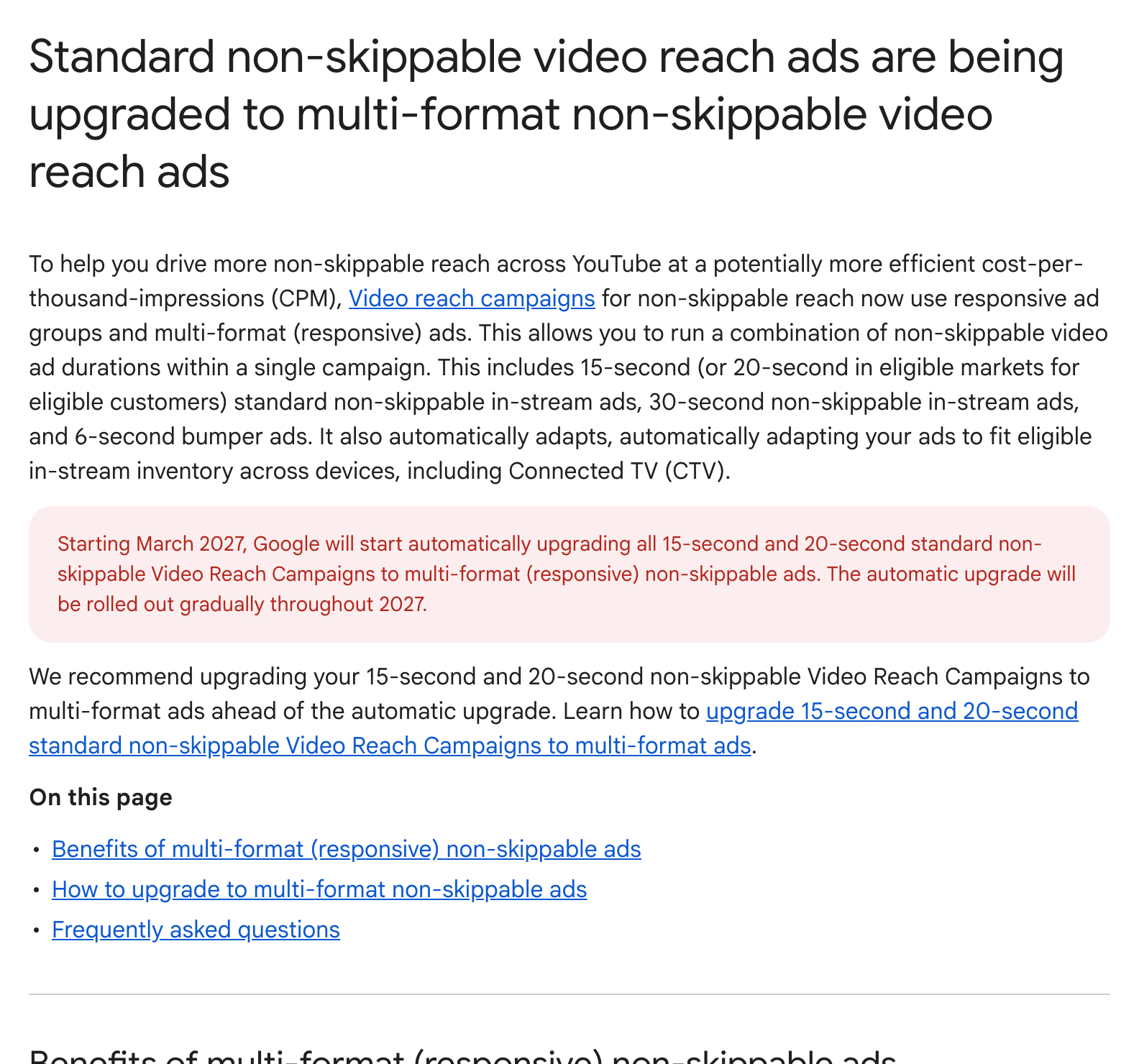
Google Ads will start automatically upgrading 15-second and 20-second standard non-skippable Video reach campaigns to multi-format (responsive) non-skippable ads in March 2027, according to a new Google Ads Help page that The PPC Times' help page watcher detected on November 25, 2026. The page says the automatic upgrade will roll out gradually throughout 2027, and that ad group and ad-level history will be reset while campaign-level reporting is kept. Google recommends that advertisers upgrade before the automatic switch.
What changes in non-skippable Video reach campaigns?
According to the help page, Video reach campaigns for non-skippable reach now use responsive ad groups and multi-format (responsive) ads. One ad group can mix several non-skippable formats, and each video asset serves according to its length:
- 15-second standard non-skippable in-stream ads (20-second in eligible markets for eligible customers)
- 30-second non-skippable in-stream ads, which the page says are shown primarily on Connected TVs
- 6-second bumper ads
Google's page says the format adapts ads to eligible in-stream inventory across devices, including Connected TV (CTV), and describes the goal as more non-skippable reach at "a potentially more efficient cost-per-thousand-impressions (CPM)".
Multi-format non-skippable ads need a business name and business logo in addition to the video and destination URL. If the account has run a responsive video ad before, Google fills both from the last one.
What does the automatic upgrade change in Video reach campaigns?
The FAQ on the page lists what happens to campaigns upgraded from March 2027:
- Campaign settings stay the same, including name, budget, Target CPM bid, flight dates, targeting and measurement.
- Reporting: campaign-level history is kept; ad group and ad data are reset.
- Ad groups: Google creates a new "responsive video ad" ad group as a 1:1 copy. The original ad group is paused for 7 days, cannot be edited during that time, and is then deleted.
- Ads: a new multi-format ad is created with the same videos. Videos shorter than 5 seconds are not copied, because Video reach campaigns require responsive ad videos of at least 5 seconds.
- Business name and logo are pre-filled from the last responsive ad the account ran, or from the name and logo of the YouTube channel hosting the video.
- Policy review: the new ads go through review again. The page says a disapproved creative could be approved, and an approved one could become disapproved.
- 20-second ads: accounts allowlisted for 20-second non-skippable ads keep serving them.
How do you upgrade Video reach campaigns before March 2027?
The page describes a copy-and-paste route. Filter the Campaigns table by Campaign type: Video, Bid strategy type: Target CPM and Campaign subtype: Non-skippable, select the campaigns, then choose Copy and Paste from the Edit menu. The option to change the video ads to multi-format (responsive) ads is pre-selected. New campaigns get the label "Copied as multi-format (responsive)". The original campaign keeps running until you pause or remove it.
Bulk uploads through campaign_template.csv and ad_group_template.csv are mapped to responsive non-skippable campaigns automatically, according to the page.
Why does the multi-format upgrade matter for Video reach advertisers?
The reset of ad group and ad history is the part most likely to affect reporting. Year-on-year creative comparisons and any analysis built on ad-level IDs could break at the point of upgrade, and because the rollout runs through 2027, the switch date may differ by campaign.
The new policy review could also change which creatives serve. Brands with strict creative approvals may want to know in advance that a video's status can change.
Adding 30-second and bumper assets could shift where budget goes, including more delivery on Connected TV. That may change frequency, completion and CPM benchmarks compared with a 15-second-only setup.
What to do now
- List your non-skippable Video reach campaigns with the filters above and note which run 15-second or 20-second ads.
- Export ad group and ad-level reports before upgrading if you need the history.
- Check that the account has a business name and logo you are happy to show, since Google may otherwise use your YouTube channel's.
- Find any videos shorter than 5 seconds; they will not carry over.
- Consider upgrading by copy and paste on your own schedule, then pause the original so both campaigns don't serve at once.
- Watch approval statuses after the upgrade.