
Google's Merchant Center editorial requirements tell merchants to keep coupon codes and redemption dates out of promotion titles. The guidance concerns any retailer submitting promotions through Merchant Center. The help page carries no update date and does not describe this wording as new, so we can't say when it was added.
What's changing
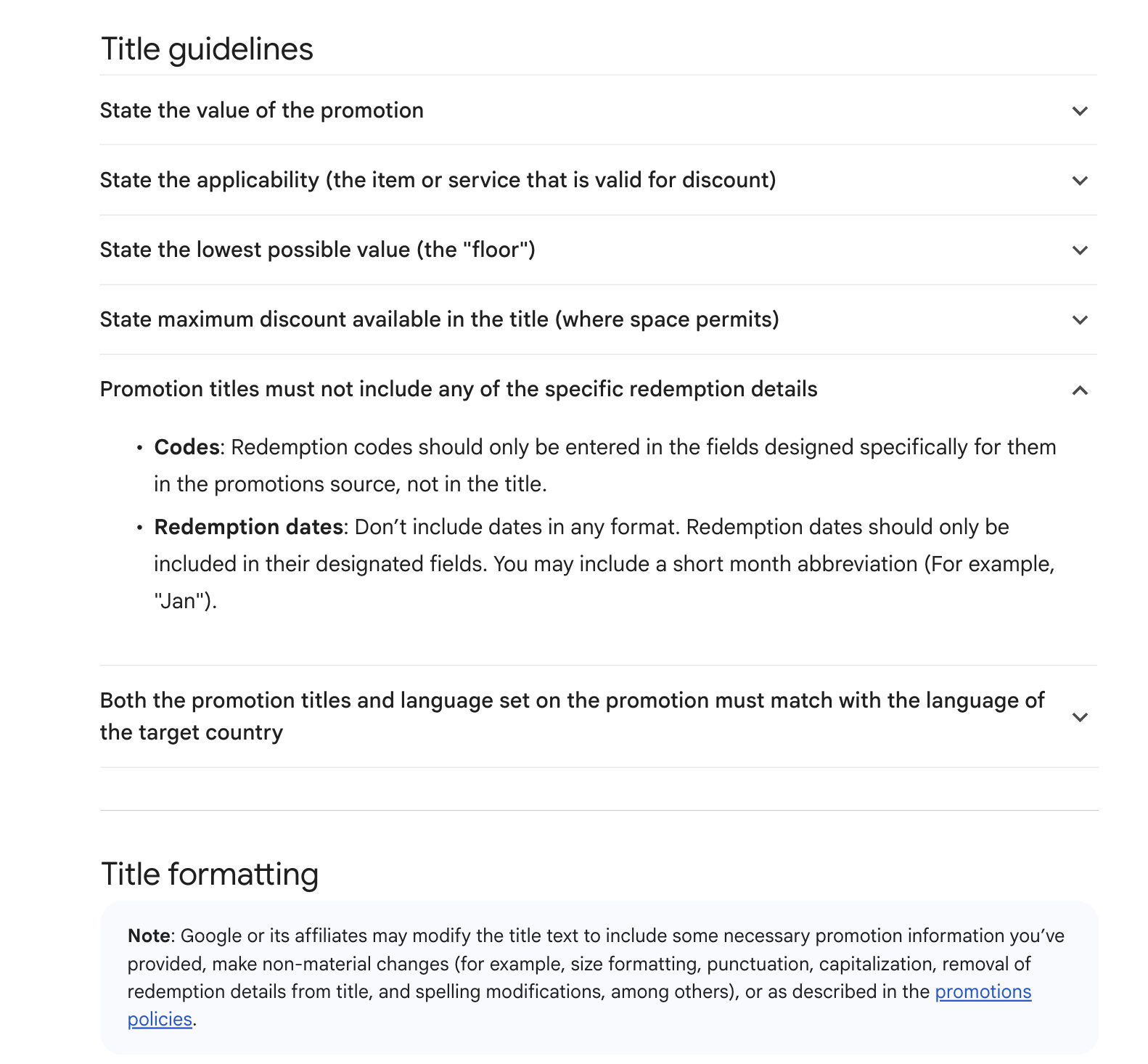
Nothing on the page is flagged as a change, so treat this as a reminder of the published rule. Under the heading "Promotion titles must not include any of the specific redemption details", Google sets two limits:
- Codes: a redemption code goes in the fields built for it in the promotions source, and stays out of the title.
- Dates: a title can't contain dates in any format, and redemption dates go in their designated fields. The single allowance is a short month abbreviation, for which Google gives the example "Jan".
Elsewhere in the title guidelines, the page says free shipping and discounted shipping promotions need their redemption code in the source and not in the title.
A note under the page's title formatting section says Google or its affiliates may alter title text. Its examples of non-material edits include taking redemption details out of a title. The page also caps the long_title attribute at 60 characters.
The page spells out disapproval for some problems, including a title or language setting that doesn't match the target country's language, and titles with no words. The section on redemption details doesn't say what happens to a title that breaks it, beyond that note about possible edits.
Why it matters for advertisers
Because Google says it may strip redemption details itself, a title built around a code or deadline could appear differently from the version the merchant wrote. Titles that only make sense with that detail are likely to be the most exposed.
The risk is probably highest when copy is reused. Email subject lines and site banners often lead with a code or an end date, and pasting that text into a promotion feed could bring both along. Merchants loading many seasonal offers at once may also have less time to catch it title by title.
The month exception gives a small amount of room for timing. A merchant who wants to signal when an offer runs can use an abbreviated month in the title and leave the exact dates to the date fields.
What to do now
- Export your active and scheduled promotions and search the titles for codes, full dates and numeric dates.
- Move anything you find into the designated fields. As an illustration of our own, "Use code SAVE20 by 12/1 for 20% off boots" could become "20% off boots", with the code and dates entered separately.
- Check that a title still describes the offer once those details are gone. Google's page asks for a specific value and discount, and rules out generic promotional text.
- Review the other limits on the same page at the same time, including the 60-character cap and the requirement that title and language setting match the target country's language.
- Build the rule into your promotion copy template, so that codes and dates are collected as separate inputs from the start.
- Look at how your live promotions are displayed. If Google has edited a title, you may want to rewrite it so the wording is your own.