Google updated its Google Ads Help page on passkeys for sensitive actions, with the change detected by The PPC Times on November 14, 2026. The page now says Android passkeys can confirm your identity for sensitive actions in Google Ads, such as account linking updates or user access changes, and that this "is being rolled out in phases to advertiser accounts". The previous version said Android passkeys could not be used for these checks. The page does not say when Google made the change.
Can you use an Android passkey for Google Ads sensitive actions?
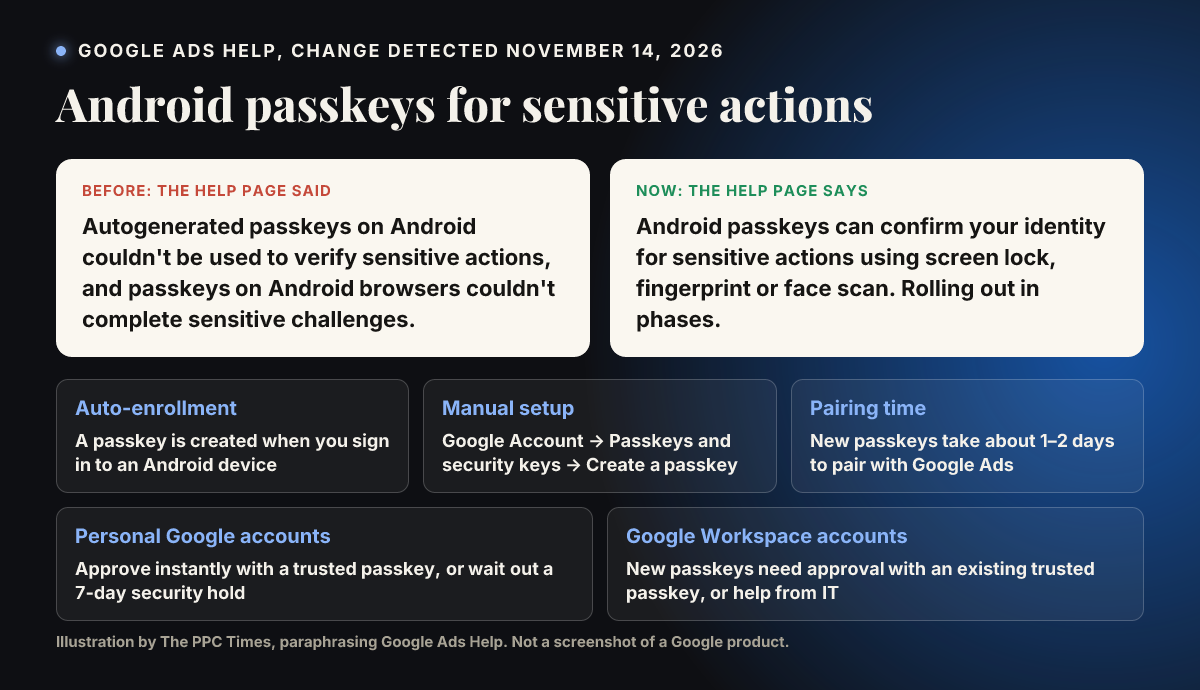
Yes, according to Use a passkey to complete sensitive actions, once the phased rollout reaches your account. The new "Use an Android passkey" section says you can confirm your identity with your device's screen lock, fingerprint or face scan.
Before the update, the same page said autogenerated passkeys on Android could not verify sensitive actions in Google Ads, and its FAQ said passkeys on Android browsers could not complete sensitive challenges. Both statements have been removed.
The page lists two ways to register an Android passkey:
- Auto-enrollment: a passkey is created when you sign in to an Android device and is registered to your account without manual steps.
- Manual setup: go to the Passkeys and security keys page in your Google Account settings, select Create a passkey and follow the device prompts.
The page says new passkeys take about 1 to 2 days to pair with Google Ads, a wait it describes as specific to Google Ads passkeys.
New approval rules for new passkeys
The update also adds a section on approving new passkeys, which differs by account type:
- Personal Google accounts: you can approve a new passkey instantly with an existing trusted passkey. If you can't, Google says you can wait for a 7-day security hold to clear, after which the new passkey becomes active, without contacting support.
- Google Workspace accounts: registering a new passkey requires an approval step using an existing trusted passkey. Google says this applies to all passkey registrations for Workspace users on every platform, not only Android. Users who can't approve must contact their IT administrator.
The page also removed the step-by-step section on turning on permanent passkey verification. Its FAQ still refers to that setting and says it can't be turned off once enabled.
Why it matters for advertisers
Teams that work from Android phones may find sensitive tasks easier, such as granting user access, when they are away from a laptop. Before the update, the page said this route was unavailable.
The approval rules could slow down teams that add new devices often. A Workspace user without access to their original trusted passkey is likely to need IT help before a new passkey works, and a personal account user may face a 7-day wait. Agencies and in-house teams that rely on quick access changes may want to plan for that.
Because the rollout is phased, colleagues may see different behaviour for some time.
What to do now
- Check under Access and security in the Admin menu which users in your account have a passkey set up. The page says the "Passkey status" column shows this.
- Ask team members who use Android to confirm a passkey exists in their Google Account, and allow 1 to 2 days for it to pair with Google Ads.
- If your team uses Google Workspace, make sure each person keeps a trusted passkey device and knows who their IT administrator is.
- Register new passkeys before you need them for urgent work, given the possible 7-day hold.
- If Android verification fails, check later or use another passkey device, since the rollout is phased.