
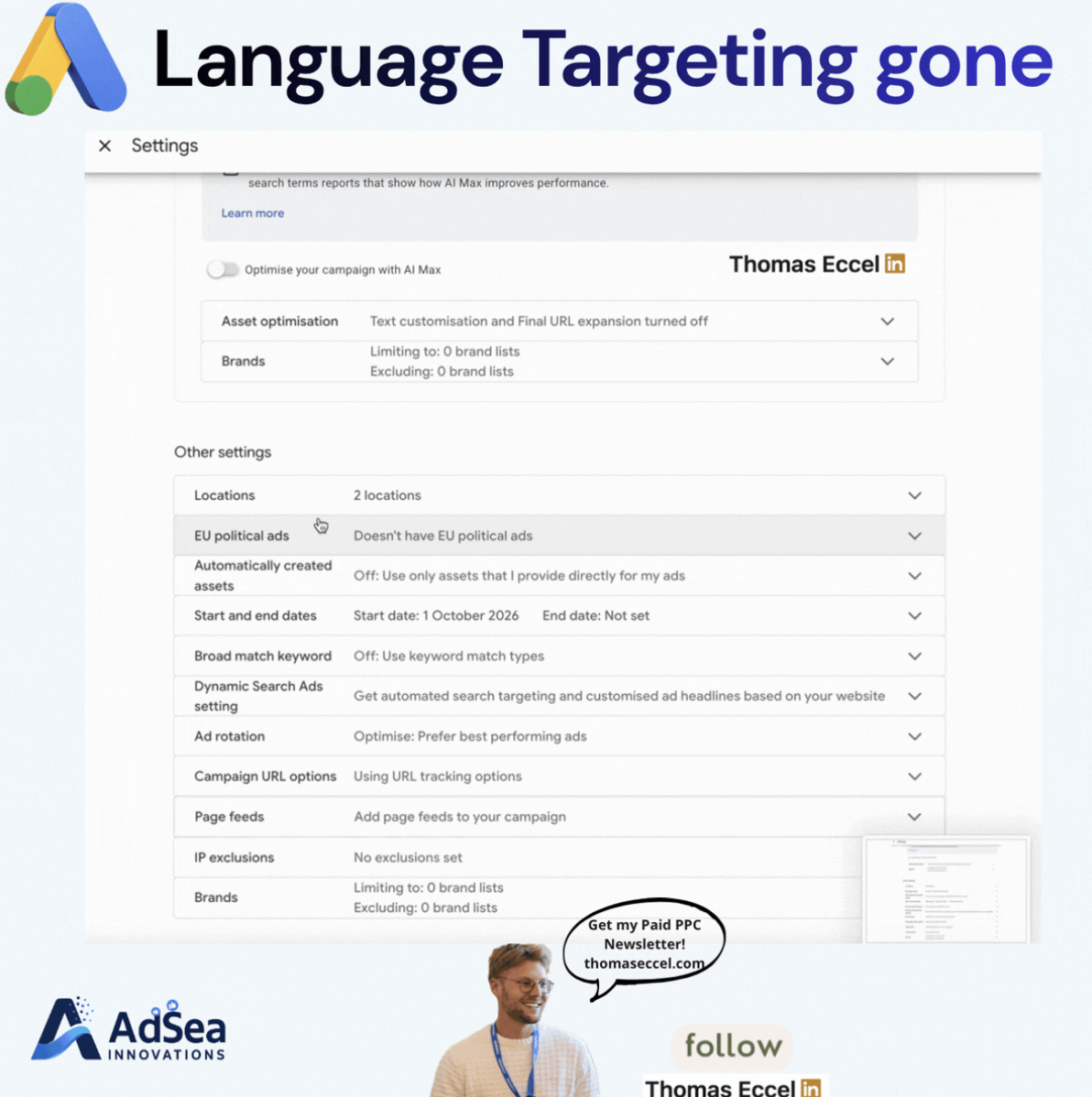
Google Ads is removing the campaign-level language targeting setting from Search campaigns. According to Google's help page on language targeting, the change starts in September 2026 and also covers the Search Network portion of Performance Max campaigns. Instead of the advertiser picking languages, Google will match Search ads to users based on the language of the ads themselves and on signals about which languages a user understands. On November 3, 2026, PPC Times editor Thomas Eccel shared a screenshot on LinkedIn of a Search campaign whose settings no longer list a Languages option.
What's changing
Google's help page sets out the new behaviour for Search inventory:
- Search campaigns: the campaign-level language setting is removed. Ads are matched based on the language they are written in.
- Performance Max: the campaign language setting no longer applies to placements on the Google Search Network, which will work the same way as standard Search campaigns. The setting still applies to the campaign's other channels, and the page names YouTube, Display, Discover and Gmail as examples.
- Shopping ads in Performance Max: not affected by language settings, according to the help page.
To decide which languages a user understands, Google says it uses the language of the search term, the user's language settings and their preferences. Ads that match the language of the search term get priority. When a search has no clear language, such as a brand search, Google prioritises the user's most preferred language. The help page says advertisers do not need to take any action for the change.
The timing has moved before. PPC Land reported on August 14, 2026 that Google's Ads Product Liaison, Ginny Marvin, announced the September date that day, and that Google had originally planned to remove the setting by the end of 2025. According to PPC Land's account of that announcement, Google does not translate ad creatives, and campaigns built around a single language, such as separate English and Spanish campaigns, keep working as they do now. Google's help page gives September 2026 as the start and does not give an exact completion date for the rollout.
Why it matters for advertisers
The language your ads are written in now does the job the setting used to do. In accounts where one ad group mixes headlines in two languages, or where English ads run in a market where most searches happen in another language, Google's system is likely to decide on its own which users see which ad. That could show up as impressions on searches you did not expect, or as fewer impressions where the ad copy and the search language don't match.
Advertisers in multilingual markets are the most exposed. Brand searches are a particular case: because a brand name usually has no clear language, Google falls back on the user's preferred language, so the ad served may depend more on the user's settings than on the query.
For Performance Max, the picture is split. The language setting still shapes YouTube, Display, Discover and Gmail delivery, but not Search Network placements, so the same campaign now follows two sets of rules depending on where the ad appears.
What to do now
- Check your settings. Open a few Search campaigns and see whether the Languages setting is still listed. Campaigns that relied on it to keep one language out of a market may now behave differently.
- Keep one language per ad group. Since Google matches on the language of the ad, mixed-language ad groups make it harder to predict which ad shows. Separating them by language is likely to keep delivery and reporting cleaner.
- Consider keeping separate campaigns per language. They no longer target by language, but they can still give you separate budgets and clearer reporting per language.
- Read the search terms report. Compare search term language with the language of the ad that served, starting with brand campaigns and multilingual markets.
- Match landing pages to ads. If an ad is in Spanish, check that the page it sends people to is in Spanish too.
- Watch Performance Max by channel. Use channel reporting to see whether Search Network placements change after the setting stops applying there.