
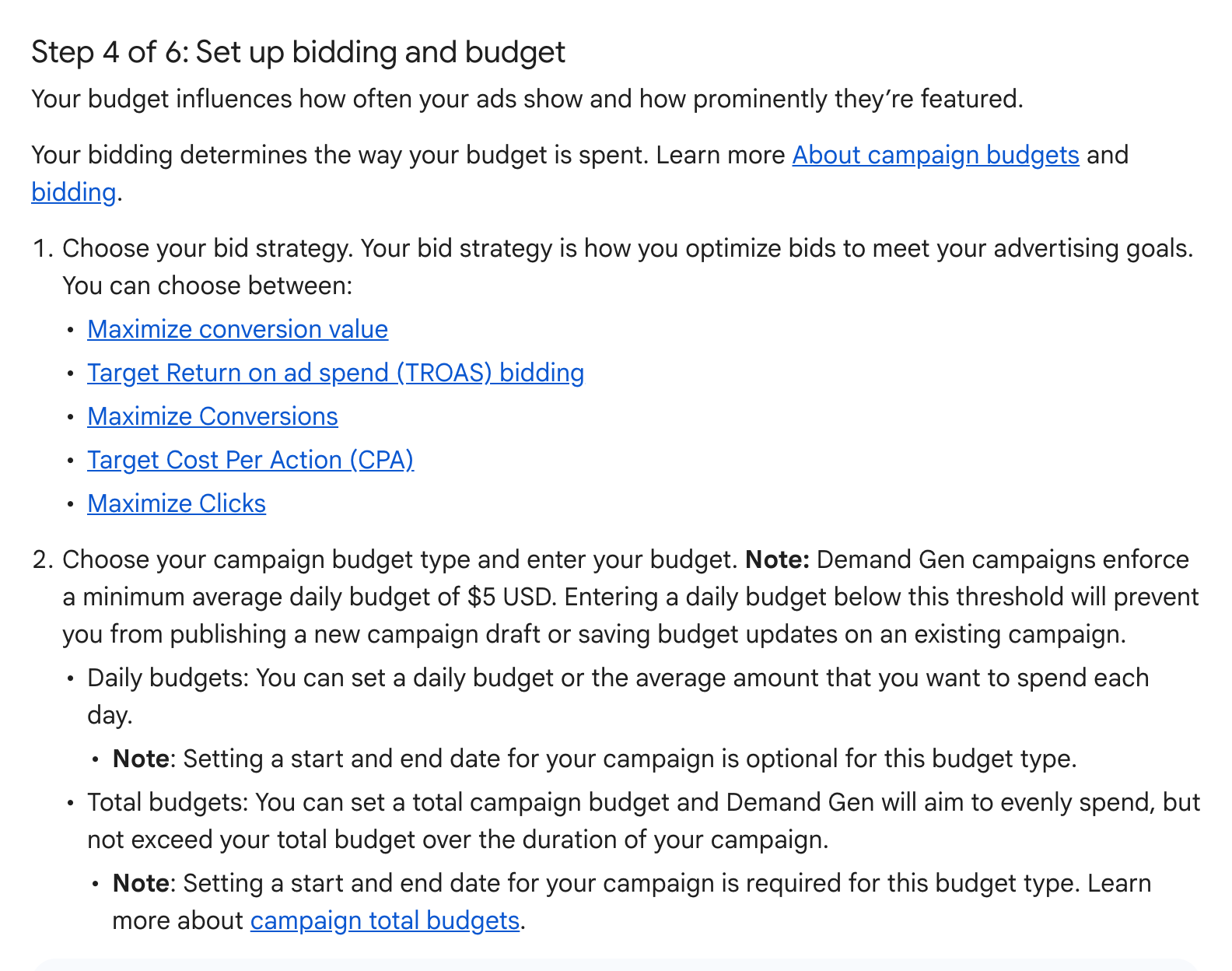
Google updated its Google Ads Help pages on Demand Gen campaigns to state a minimum average daily budget of $5 USD, a change The PPC Times detected on November 19, 2026. According to the Create a Demand Gen campaign page, a daily budget below that amount prevents you from publishing a new campaign draft or saving budget updates on an existing Demand Gen campaign. The pages do not say when Google started enforcing the floor.
What is the minimum daily budget for Demand Gen campaigns in Google Ads?
The minimum is $5 USD a day, or the local currency equivalent, according to the About Demand Gen campaigns page. The help pages now say:
- Amount: a minimum average daily budget of $5 USD (or the local currency equivalent).
- New campaigns: a daily budget below the threshold prevents you from publishing a new campaign draft.
- Existing campaigns: a daily budget below the threshold prevents you from saving budget updates.
- Smart Bidding: the floor applies in addition to Google's existing advice to set a budget of at least 10x your target CPA.
According to the About Demand Gen campaigns page, the floor is there so that Google's models can get through the initial auction learning phases.
Before the update, step 4 of the Create a Demand Gen campaign page said only that minimum budget values were enforced for delivery, without naming an amount. The new text replaces that sentence with the $5 USD figure.
Neither page mentions a separate minimum for campaign total budgets.
Why it matters for advertisers
Accounts that test Demand Gen on small budgets are the most likely to be affected. A campaign set to, for example, $3 a day could no longer be published, and the help page wording suggests that any later budget edit on an existing campaign under $5 may not save until the budget is raised to the floor.
For most advertisers the figure itself is low, since Google already recommends a budget of at least 10x the target CPA for Smart Bidding. The floor is more likely to matter for small businesses, local campaigns, and accounts that split spend across many low-budget Demand Gen campaigns, such as one campaign per market or per audience test.
The local currency equivalent is not listed on the pages, so the exact threshold in other currencies could vary.
What to do now
- Check your Demand Gen campaigns for daily budgets under $5 USD or the local equivalent, and decide whether to raise them before you next need to edit them.
- If you run many small Demand Gen tests, consider consolidating them into fewer campaigns that clear the floor.
- If you use scripts, rules or bulk uploads that lower Demand Gen budgets, check whether they set values under the minimum, since those updates may not save.
- Keep the 10x target CPA guidance in mind: a budget that clears $5 may still be too low for Smart Bidding to learn.