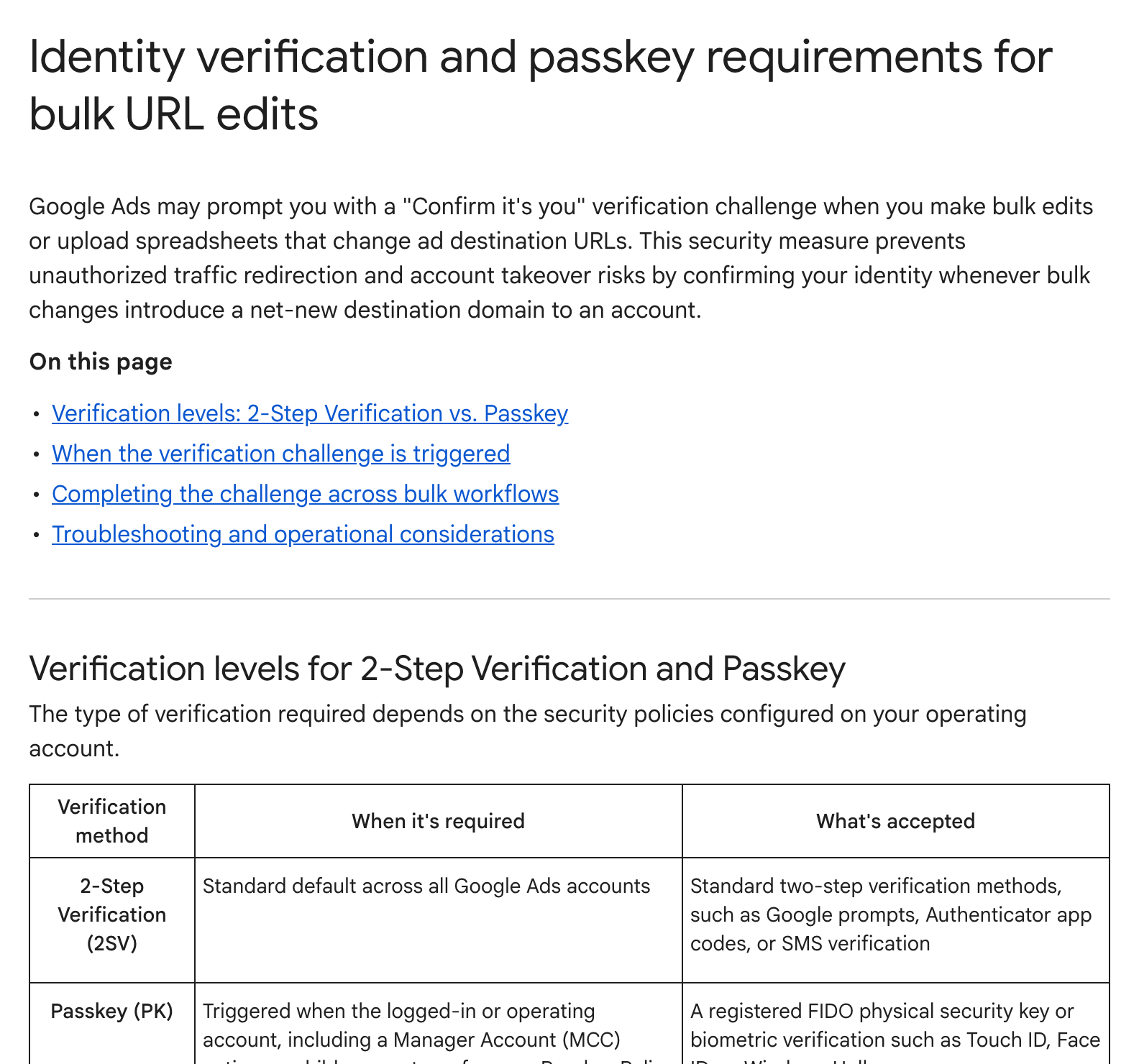
Google Ads may ask advertisers to verify their identity when bulk edits or spreadsheet uploads change final URLs to a domain the account has never used, according to a new Google Ads Help page that The PPC Times detected on November 19, 2026. The page, Identity verification and passkey requirements for bulk URL edits, says the check is there to prevent unauthorised traffic redirection and account takeover. The page does not give a start date.
When does Google Ads ask you to verify bulk URL edits?
According to the help page, the verification challenge appears when both of these are true:
- New domain: one or more final URLs in the bulk change point to a host-level domain that has never been used on that specific Google Ads account (customer ID).
- No active session: you have not verified in the last 60 minutes. After you verify, further bulk edits within the hour do not trigger another challenge.
The page says domain history is checked per account only. A domain used in a manager account (MCC) or a sibling account does not count, so the first use of a domain in each account needs verification.
The verification method depends on the account's security settings:
- 2-Step Verification: the default for all Google Ads accounts, using Google prompts, Authenticator app codes or SMS.
- Passkey: required when the signed-in or operating account, including a manager account acting on client accounts, enforces a passkey policy. A FIDO security key or biometric check such as Touch ID, Face ID or Windows Hello is accepted.
How the check works in bulk edits and uploads
For edits made in the ads table with Change ads, the verification window opens after you select Apply and before anything is saved. Once verified, your changes stay staged and you select Apply again. The page says cancelling or failing the check stops the edit without partial changes.
For spreadsheet uploads under Tools > Bulk actions > Uploads, rows with known domains are applied as normal. Rows with a new domain are held with a verification required status until a user selects Verify, completes the check and selects Verify again.
The page also says:
- Google support cannot bypass the check or allowlist domains.
- Scheduled uploads that run unattended fail for rows with a new domain, until an authorised user signs in and verifies them.
- Browser extensions, ad blockers or cookie restrictions can cause a verification loop.
Why it matters for advertisers
Teams that launch new sites, microsites or landing page domains through bulk edits or spreadsheet uploads could see uploads partly applied, with new-domain rows waiting for someone to verify. Agencies that roll out the same new domain across many client accounts may need to verify in each account, since the page says domain history is not shared from the manager account.
Scheduled uploads are the most likely place for problems to go unnoticed, because the page says new-domain rows in unattended runs fail until someone verifies them by hand.
What to do now
- Before a launch that adds a new landing page domain, plan for a person with access to 2-Step Verification or a passkey to run or approve the bulk change.
- Check whether your manager account enforces a passkey policy, and make sure users who make bulk changes have a passkey or security key registered.
- Review scheduled uploads that may add new domains and check the Uploads page for held rows after they run.
- If the verification screen keeps looping, try disabling pop-up blockers and privacy extensions or use a private browsing window, as the page suggests.