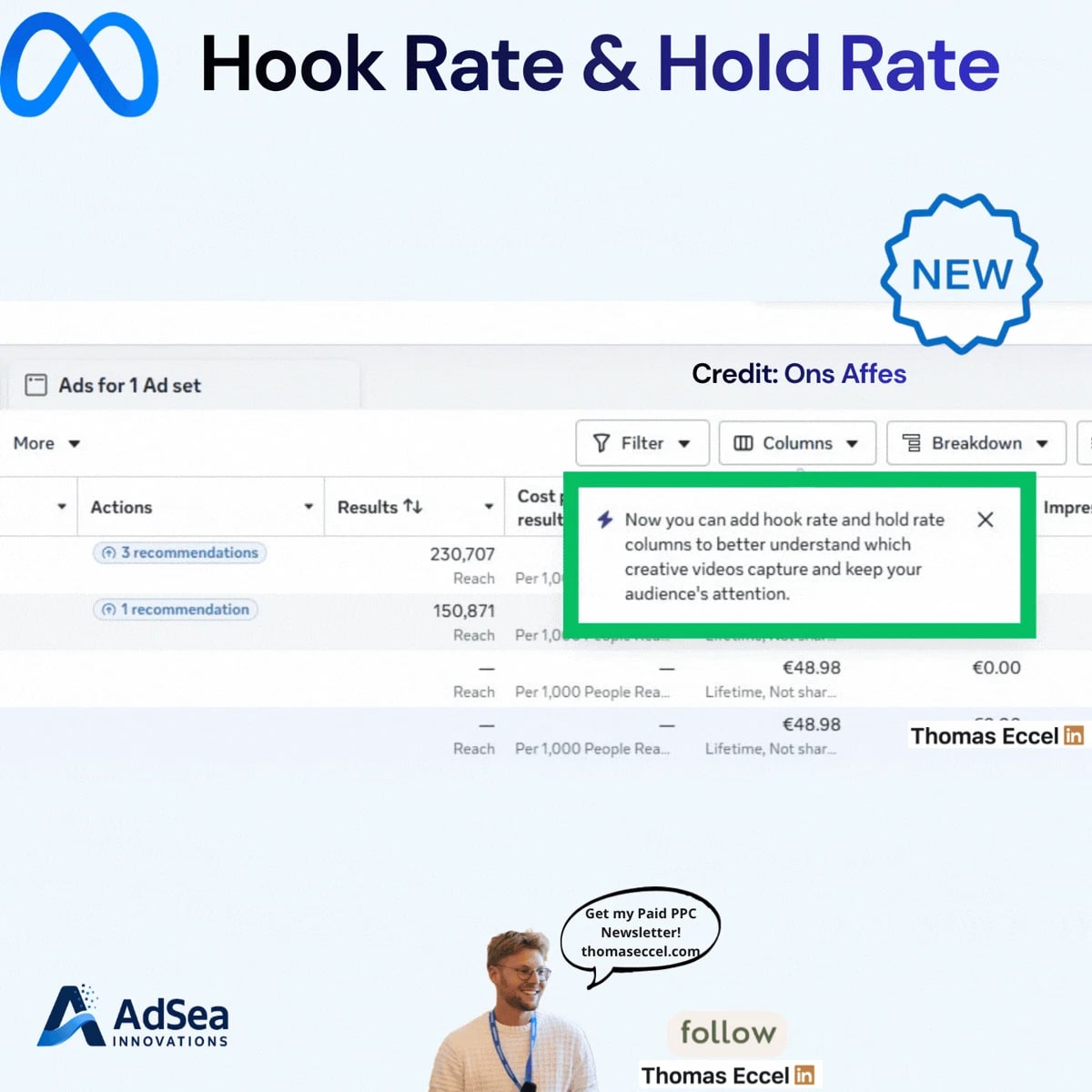
Meta Ads Manager is showing hook rate and hold rate as built-in reporting columns, according to a LinkedIn post by The PPC Times editor Thomas Eccel. The columns were first spotted by paid social specialist Ons Affes. Meta is introducing them with a notice inside Ads Manager that reads: "Now you can add hook rate and hold rate columns to better understand which creative videos capture and keep your audience's attention." There is no blog post or help page yet, and the columns may not have reached every account.
Until now, advertisers who wanted these numbers had to build them as custom metrics, with formulas that differ from one agency or tool to the next.
What's changing
Hook rate and hold rate are the two most common ways to judge a video ad's creative before looking at cost or conversions:
- Hook rate measures how many people stopped scrolling once the video started. It is usually calculated as 3-second video plays divided by impressions.
- Hold rate measures how many of those people kept watching. The usual version divides ThruPlays, which Meta counts when a video plays to completion or for at least 15 seconds, by 3-second plays. Some teams divide by impressions instead.
With native columns, these ratios can sit in a saved column preset next to spend and results, without anyone maintaining custom formulas. Meta has not yet documented which formulas its own columns use, so check the column descriptions in your account before comparing them with numbers you calculated yourself.
Why it matters for advertisers
The main benefit is consistency. Because every team has calculated these metrics its own way, a "30% hook rate" from one agency could not be compared with the same figure from another. A single definition from Meta gives advertisers, clients and creative teams a shared number.
There is a catch for anyone with historical reporting. If Meta's formula differs from the one in your custom metric, the native column and your old numbers will not match. Benchmarks built on your own formula may need to be rebuilt before you compare old and new creative.
The change also signals where Meta wants advertisers to look. With Advantage+ automating targeting and placements, the creative is one of the few levers advertisers fully control, and these columns put creative quality on the main reporting screen.
What to do now
- Check whether your accounts have the columns. Look under Columns in Ads Manager, in the video engagement metrics. If they are missing, the rollout may not have reached you yet.
- Compare Meta's numbers with your custom metrics on a few recent ads before switching reports over, and note any gap.
- Use the two rates together to find where a video loses people, as Eccel lays out in his post. A low hook rate points to the first three seconds. A strong hook with a weak hold points to the middle of the video. Strong rates with few conversions point to the offer or the landing page, not the creative.
- Add both columns to your creative testing preset, so every new video is judged on the same metrics from day one.